
A Facebook Fan Page is an important channel for brands to connect with overseas consumers and build a follower base. This guide explains what a Page can do, how to create and optimize it, how to plan and evaluate content, several practical ways to grow followers, and what to watch for when operating multiple Pages.
For cross-border sellers that want to build a brand overseas and connect with consumers, a Facebook Fan Page (also called a public Page) is a fundamental channel. Unlike a personal profile, it is designed as an official public-facing presence for businesses, brands, and public figures. Large numbers of users browse business Pages every day, which means a well-managed Page can help you build a follower base, talk directly with customers, and even turn interactions into sales. This guide walks through the whole process from creation to ongoing operation.
First, be clear about what a Fan Page can do for you
A Page is more than a place to post product information. Its value is broader:
- Brand promotion: Tell your brand story, highlight product strengths, share industry perspectives, and build awareness through images, text, video, and live streams.
- Customer interaction: Reply to comments and messages promptly, and regularly run Q&As, interactive activities, or live streams to strengthen customer relationships and loyalty.
- Content sharing: Strong content can be shared by followers into their own social circles, helping you reach people who do not follow you yet.
- Market research: Observe which posts generate more interaction, and collect opinions through surveys and feedback to guide product and marketing decisions.
Create and optimize your Page
Before creating a Page, define your brand positioning and target audience, and prepare your logo, cover image, and a concise, appealing introduction. When creating it, use Facebook's "Create a Page" entry, enter the Page name, category, and description, upload the profile and cover images as prompted, and then complete the creation process.
For image sizes, a few practical tips help: use a square profile image of at least 180×180 pixels. Remember that it appears as a circle in the feed, so keep the key visual centered and avoid overly complex designs or text that is too small. For the cover image, use a 16:9 aspect ratio and compress it to a sensible file size before upload so it loads quickly.
Once the Page is created, run a quick settings check so it looks professional and is easier to manage:
- Complete the brand story, contact details, and website link, and set a memorable Page username;
- Adjust message and email notifications so you do not miss customer inquiries;
- Assign appropriate roles to team members, such as administrator or editor, and configure permissions and review settings for follower posts as needed;
- Set up automated replies and message filtering to reduce spam;
- Choose a Page template that matches your business and add relevant tags that can improve discoverability;
- Enable login alerts and two-factor authentication, and connect the correct ad account;
- Add a visible CTA button, such as "Contact Us" or "Shop Now", to guide users toward the next action.
How to plan content effectively
Whether a Page can retain followers largely depends on its content. Plan around several dimensions:
Start by answering a few questions: Who are your target followers and what do they care about? What are strong Pages in your category posting, and how are users responding? What image and tone should your brand present? Once these are clear, your content is less likely to drift off course.
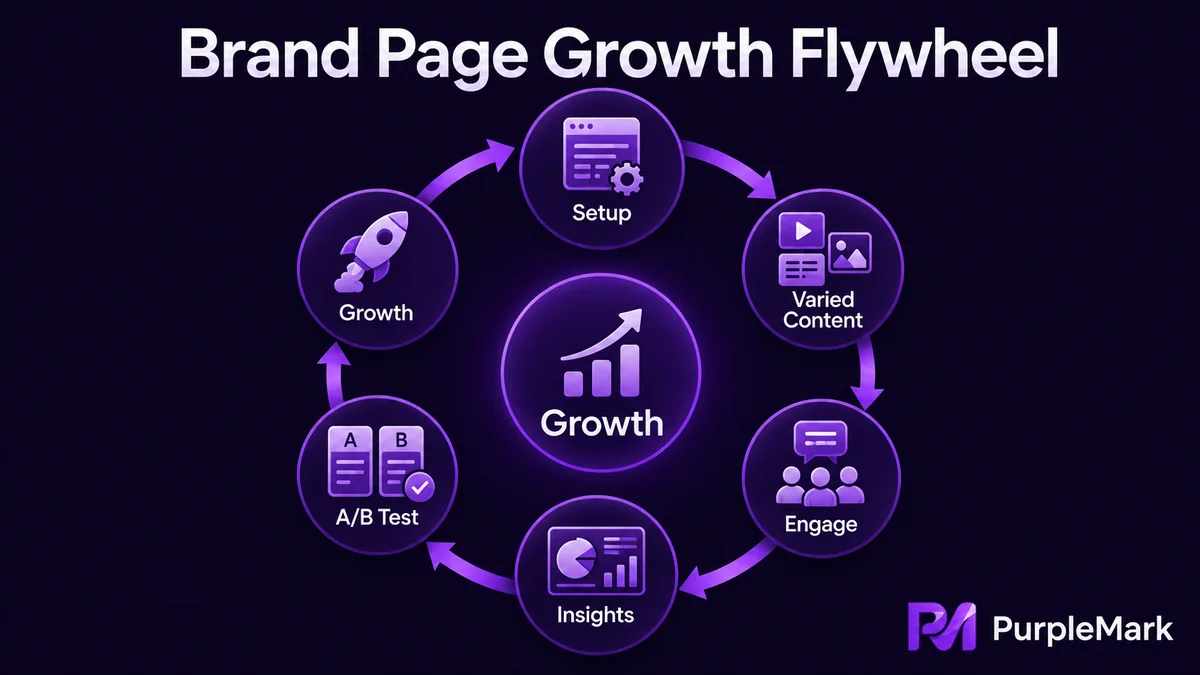
Keep the content varied instead of posting only ads. A healthy Page usually mixes several types of content: educational posts (professional tips, tutorials, FAQs), product showcases and customer feedback (new product introductions, real reviews), interactive content (polls, Q&As, photo-sharing activities), behind-the-scenes stories (production process, team life), and entertaining content that fits the audience. A broader mix gives different followers more reasons to stay engaged.
Use data to drive optimization. Check Facebook's built-in analytics tool, Insights, regularly and watch metrics such as reach, engagement, likes, comments, and shares. You can also combine this with third-party social media management tools. When possible, run A/B tests by changing only one variable at a time, such as posting time, image, or copy. Use the results to see which version performs better and adjust accordingly. In short, let the data tell you what to publish more of instead of relying only on intuition.
How to grow followers on your Page
There is no shortcut to follower growth, but several approaches are consistently useful:
- Put content quality first. Content that teaches the audience or creates genuine resonance is naturally more likely to be shared;
- Improve Page discoverability by using target keywords in the title and description so people can find you more easily within Facebook;
- Cross-promote from your website, email, and other social channels so your existing traffic sources point toward the Page;
- Maintain interaction and a sense of community by replying to comments and messages quickly and, when useful, creating a group for core followers;
- Amplify with ads by using Facebook advertising to reach the right audience, grow Page followers, or boost high-engagement posts;
- Work with partners and influencers through cross-promotion with other Pages or by using a KOL's existing audience to expand awareness.
If you run multiple Pages, keep account environments organized
Many brands operate more than one Page, for example by region, product line, or brand. In that situation, one issue that is easy to overlook is account association. If several Pages are managed from the same browser and network environment, activity can become harder to separate operationally, and problems affecting one account may create wider management risk across the Pages.
A more orderly approach is to keep a separate, clearly managed browser environment and login state for the account behind each Page so daily operations do not get mixed together. When several team members maintain the Pages, assign ownership by Page and person as well, so it is clear who is responsible for each Page and what actions were taken. This improves collaboration and reduces mistakes caused by mixing environments or login states.
Summary
A Facebook Fan Page is a foundation for building an overseas audience and running brand marketing. Be clear about what the Page should achieve, create it carefully and optimize the settings, publish varied content and improve it with data, then combine cross-promotion, advertising, and partnerships to grow the audience. If you operate several Pages at the same time, keep each account's environment organized and separate so your team can manage them consistently and reliably as the operation grows.


