
An antidetect browser is not better simply because it is more expensive or complex. The right choice depends on your use case: protecting personal privacy or managing dozens or hundreds of accounts. This guide breaks down the selection logic by user type so you can avoid paying for features you do not need.
When people first encounter antidetect browsers, their first instinct is often to compare “which one has the best reputation” or “which one has more features.” After using them for a while, however, you realize that what really matters is whether it fits your needs. An antidetect browser for someone who only wants to protect everyday browsing privacy and one for a team managing dozens or hundreds of accounts are solving very different problems. This guide does not rank products. Instead, it breaks down the selection logic by user type so you can choose based on actual needs and avoid paying for features you will not use.
What problem does an antidetect browser actually solve?
First, let’s align on the concept. Whenever a browser visits a website, it exposes a range of device and browser characteristics, such as the operating system, time zone, language, resolution, and Canvas rendering. Websites can combine these signals into a nearly unique “fingerprint” that can be used to identify and track you. An antidetect browser lets your visits present a managed fingerprint environment rather than your device’s real fingerprint, helping protect privacy and reduce the risk of accounts being identified as related.
Once you understand this, you can see that “antidetect” protects two layers: the privacy of ordinary users and the account security of multi-account operators. Different users care about very different things.
Which type of user are you? Match your needs before choosing
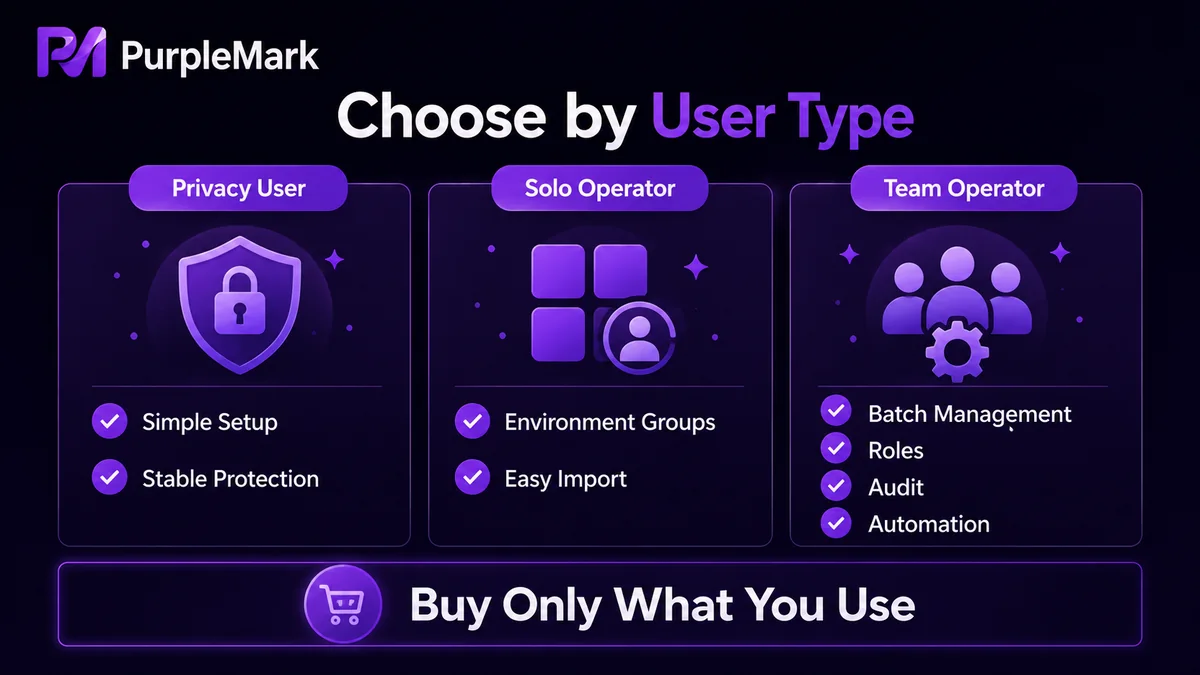
Type 1: People who only want to protect everyday browsing privacy.
If you mainly use a browser to research information and visit websites, do not want advertisers to track you excessively, or want to separate personal and work browsing, your needs are relatively basic. A clean fingerprint environment that differs from your real device may be enough, and you may not need sophisticated batch features. The bar for this type of user is lower: focus on internally consistent parameters and stable operation, and do not spend extra on features you will not use.
Type 2: Individuals operating a moderate number of accounts.
If you personally operate multiple platform accounts, such as Facebook, Instagram, or e-commerce accounts across several markets, your needs move into “account management.” You need to place different accounts in independent environments, separate them by business purpose, quickly open the correct account, and ideally create and organize them in batches. At this point, check whether the tool supports grouped management of accounts and environments and whether import and export are convenient.
Type 3: Teams managing dozens or hundreds of accounts.
If you operate dozens or hundreds of accounts and more than one person is involved, your requirements rise again. At minimum, evaluate three capabilities:
- Batch management and import: Can you efficiently create, import, and organize account environments in bulk instead of configuring them one by one?
- Team collaboration and permissions: Can multiple people divide responsibilities and receive access only to the environments they manage, rather than sharing one set of credentials?
- Automation for repetitive workflows: Once account volume grows, can routine actions such as account maintenance, engagement, and content posting be handled through automation to reduce repetitive manual work?
Beyond features, think about cost and what is “enough”
There are two practical factors that are easy to overlook when choosing a tool.
First, do not look only for the “cheapest” or the “most feature-rich” option. Some tools offer many features but are complex and expensive. Others are cheap but limited or inconsistent. The ideal balance is a tool whose features cover your real needs, whose workflow is not unnecessarily complicated, and whose price matches the capabilities you actually use.
Second, match the plan to your current account scale. If your need for environments is likely to grow, a plan that can scale with the number of environments is more practical. Buy enough for your current scale first and upgrade later as needed, rather than paying from day one for a large number of environments you do not use.
Try it based on your own needs and evaluate it yourself
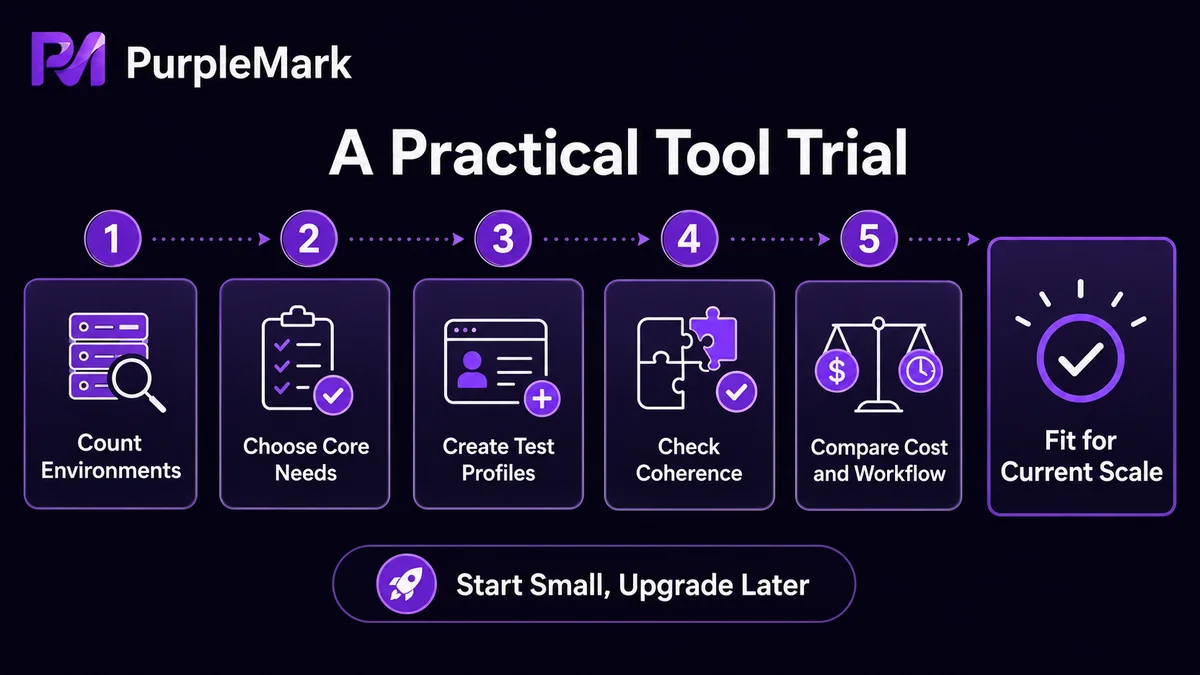
In practice, the selection process can be simplified into a few steps: first estimate how many account environments you need and whether you are working alone or as a team; then list one or two core requirements you will actually use, such as batch management, team permissions, or account-maintenance automation; finally, use the trial version of the tool and run one or two real accounts through the full workflow. Confirm that the operation feels smooth and the parameters are internally consistent before deciding whether to adopt it.
PurpleMark is one browser environment management platform you can consider. It can create isolated environments for different accounts and configure operating system, time zone, language, UA, resolution, Canvas, WebGLImage, AudioContext, WebRTC, and other parameters, while also binding proxies and Cookies. It also provides environment grouping, member management, operation logs, and platform-specific RPA tasks for repetitive operational workflows. In short, it brings “environment, fingerprint, network, team, and automation” into one workspace. Whether it fits your account scale and budget is best determined by reviewing plans and features on the PurpleMark website and testing them with the free or trial allowance.
In one sentence
When choosing an antidetect browser, first identify what type of user you are: someone who only wants everyday privacy, an individual managing a smaller number of accounts, or a team collaborating on dozens or hundreds of accounts. The first group should focus on privacy and stability, the second on account management, and the third also on batch import, team permissions, and RPA automation. In addition to features, think about what is “enough” and whether the cost matches your needs, then validate the choice through a trial. Even the most powerful tool is only a means of managing accounts you legitimately control; authentic account information and compliant operations remain the baseline.


