
Many repetitive foreign-trade tasks can be sped up with browser extensions. Instead of listing ten random tools, this guide recommends practical extensions by real use case: translation, account and password management, English writing, finding customer emails, analyzing competitor websites, keyword research, and competitor traffic analysis.
Foreign trade work means dealing every day with foreign-language websites, overseas customers, B2B platforms, and independent stores. Many of these workflows can be made much faster with browser extensions. Rather than installing a long list of tools, it is better to choose based on what you actually need: translation, account and password management, English writing, finding customer contact details, analyzing peer websites, researching keywords, and checking competitor traffic. Below are several practical options for each type of task, so you can install only what fits your workflow.
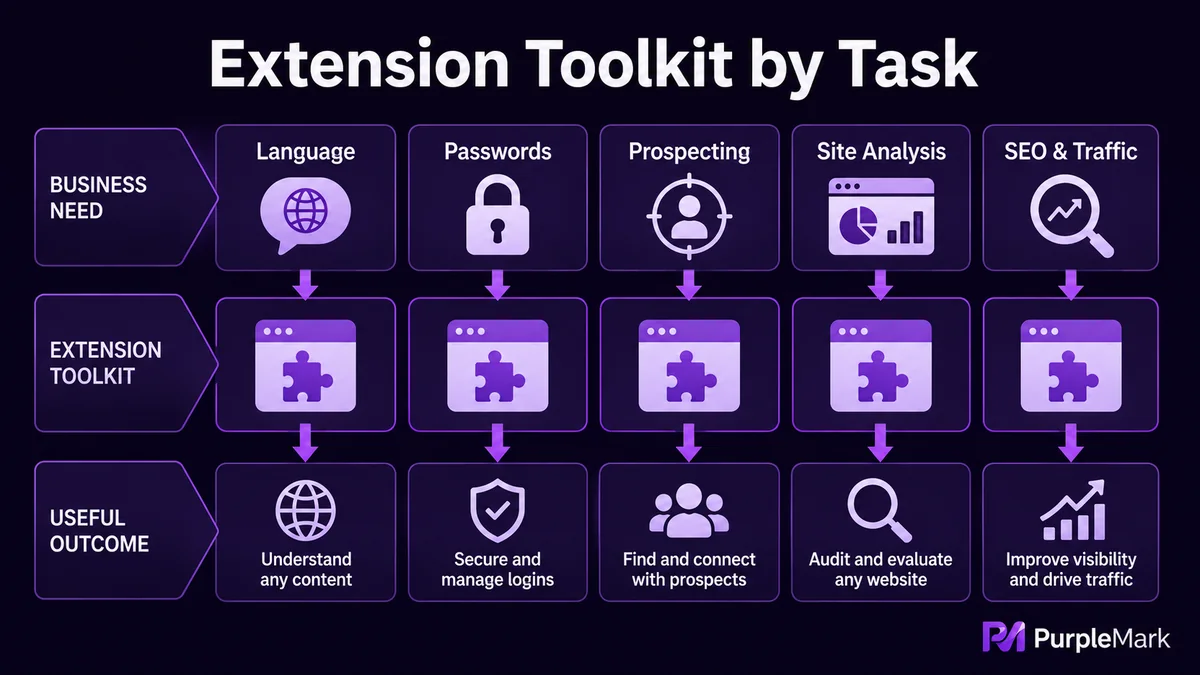
Translation and language: read across languages and write English with less effort
One of the most common challenges in foreign trade is constantly switching between Chinese, English, and sometimes other languages.
- Google Translate: One of the most widely used translation extensions in browsers. It can translate entire pages in real time, which is convenient when checking foreign-language products or browsing overseas customer websites. It is generally stable and reasonably accurate.
- Grammarly: A useful assistant for English writing. When you write emails, outreach messages, or product descriptions, it checks spelling and grammar in real time and suggests improvements. If your English feels less natural, running the text through Grammarly before sending can reduce basic mistakes.
Accounts and passwords: stop worrying about usernames and passwords
Foreign-trade work often involves many accounts, and registration and login alone can take a lot of time.
- RoboForm: An automatic login and password-management extension. It can save account information during registration or login and fill it in with one click next time, reducing repetitive typing and forgotten-password problems. It is particularly useful for people who manage many accounts.
Finding customers: uncover contact details from websites
When developing new customers, one of the hardest parts is finding the email address or phone number of the right decision-maker.
- Hunter: Helps find contact information from a target company website, including names, email addresses, and phone numbers. It is useful for prospecting and locating purchasing contacts, and can save significant time compared with manual research.
Analyze peer websites: see how competitors operate
A major part of foreign-trade research is studying competitors or potential customers to understand what technology they use, what they sell, and how their sites are run.
- Shopify Inspector: An analysis tool for Shopify stores. After installing it, you can visit a Shopify site to see information such as its theme, product listing dates, prices, and best-selling products, helping you infer its operating rhythm.
- Wappalyzer: A web technology analysis extension that can identify the platform framework, server, programming languages, and other underlying technologies used by a website. A quick check before research or outreach can help you communicate more specifically.
SEO and traffic: useful for independent sites and content marketing
If you run an independent store or work on SEO alongside your foreign-trade business, the following extensions can help.
- Keywords Everywhere: Displays keyword search volume, trends, and related long-tail terms directly on search-result pages, using Google-related data. It can make keyword research and ad-keyword selection more efficient.
- SimilarWeb: A website traffic analysis extension. Enter a domain to view its approximate traffic scale, geographic distribution, and traffic-channel mix, such as search, social, direct visits, and referrals. It provides a quick way to see which sites are ahead in a market and which channels contribute most of their traffic.
How and where to install them
Most of these extensions can be found and installed directly from the extension stores of common browsers such as Chrome and Edge. One point worth noting is that foreign-trade work often requires logging in to accounts on multiple platforms at the same time. If all accounts, extensions, and login states are kept in one browser environment, accounts can easily be mixed up or create unwanted linkage risks.
If your team already prepares separate browser environments for different business accounts, you can also install general-purpose extensions such as translation, writing, and email-finding tools only in the environments where they are needed. This keeps each workspace focused and practical while reducing cross-environment overlap between multiple accounts. Arrange them according to how you normally manage those accounts.
Summary
Browser extensions are mainly about improving efficiency. The key is to choose according to your workflow: install translation tools if you read foreign-language pages every day, use Grammarly if you write English frequently, add Hunter when you need to find prospects, use Shopify Inspector or Wappalyzer for research, and add Keywords Everywhere and SimilarWeb for SEO and content work. More tools are not necessarily better. Pick one or two suitable extensions for each important task, learn to use them smoothly, and you can noticeably reduce repetitive work in foreign trade.


