
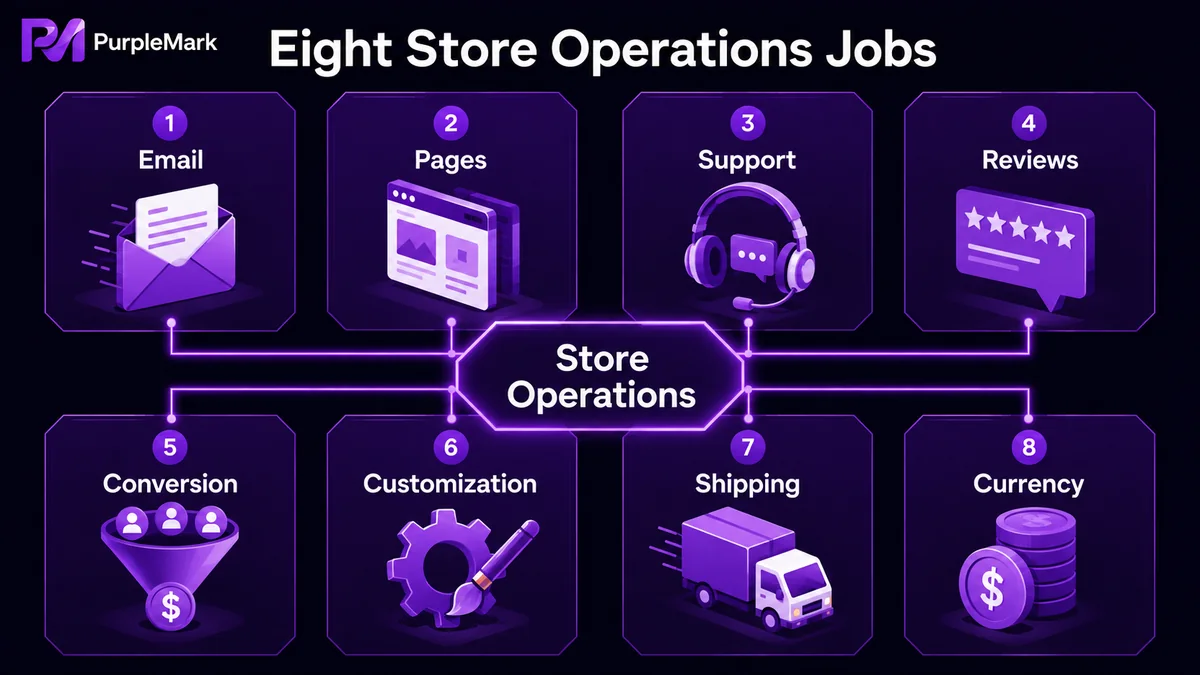
Built your store but not sure which tools to add next? Instead of piling on apps, this guide groups tools by eight practical needs—email, landing pages, support, reviews, conversion, customization, shipping, and currency—and suggests reliable, easy-to-use options to strengthen your store operations.
Your Shopify store is up and running, and the next question for many sellers is: how should an independent store be operated, and which tools do you actually need?
There are countless Shopify tools on the market, and a long list can make choosing even harder. A more practical approach is to first identify what is missing in your current workflow, then add tools by purpose. This guide covers eight common operational needs and gives you one proven, easy-to-start direction for each.
Email Notifications and Customer Communication
Order confirmations, shipping notices, delivery updates—email is an important part of maintaining customer relationships for an independent store. Shopify's built-in email notifications are relatively basic, usually limited to standard copy and order information, with little room for product recommendations or stronger branding.
If you want your emails to feel more like thoughtful customer messages, visual email editors such as OrderlyEmails can help. They let you build layouts visually and insert product recommendations without much effort. For sellers who want to use email for repeat purchases and customer care, this type of tool is worth prioritizing.
Landing Pages and Page Building
An independent store should not rely on one template for everything. Your homepage, product pages, campaign pages, and blog pages often need different layouts and visual treatments.
Fast drag-and-drop page builders such as PageFly let you create landing pages, product detail pages, and campaign pages without writing code. Many include responsive templates for different product categories. For sellers focused on branding and conversion-focused pages, a page builder is close to essential.
Customer Support and Live Chat
After-sales response speed directly affects reviews and repeat purchases. Customer service tools for independent stores, such as Gorgias, bring live chat, email replies, and ticket tracking into one place. The interface is usually straightforward, and some tools also support basic AI replies and spam filtering.
As order volume grows and support pressure increases, collecting inquiries from multiple channels in one dashboard can significantly reduce missed messages and slow replies.
Reviews and Social Proof
Reviews are an important support for conversion. Cross-border shoppers pay close attention to customer feedback, especially when buying from an independent store without the backing of a major brand.
Review collection tools such as Stamped support review requests by email, photo reviews, video reviews, and other formats. Many also connect with shopping platforms so reviews can potentially appear in ads and reinforce trust. For a new store, getting a review system running early is especially important.
Conversion Rate Optimization
Some customers add products to the cart but do not pay, while others hesitate before ordering. In those moments, the page may need a final nudge.
Conversion tools such as Ultimate Sales Boost commonly use countdown timers, urgency messages, trust badges, buy-one-get-one offers, and similar elements to create a moderate sense of urgency and reassurance. However, this promotional atmosphere should be used with restraint so it does not undermine brand credibility.
Product Customization and Bundles
If your store sells products that can be customized or freely combined—such as colors, sizes, or sets—the standard Shopify product page may not be enough.
Product customization and bundling tools such as Infinite Options and various bundle apps can add more complex selection logic, making them useful for custom orders and product sets. Stores trying to increase average order value often need this kind of upsell capability.
Shipping, Fulfillment, and Rate Comparison
Shipping directly shapes the after-sales experience. If you sell across multiple platforms or want to reduce logistics costs, consider shipping management tools that connect multiple channels and compare shipping rates, such as ShippingEasy. They can centralize orders, labels, and shipment tracking.
Multi-Currency Display
For cross-border sales, showing prices in the shopper's local currency can significantly reduce psychological friction around purchasing.
Currency conversion tools such as BEST Currency Converter can automatically display prices in the shopper's local currency, and many support 160+ currencies. One important point: for compliance reasons, Shopify generally does not allow checkout charges to be converted directly using a real-time exchange rate in every setup. In many cases, the converted amount is displayed on the product page or in the cart, so follow Shopify's current official rules when configuring this.
Multi-Store Sellers: Give Each Store Its Own Environment
Everything above is about operating a single store well. But many independent-store sellers run multiple Shopify stores at the same time—for different brands, markets, or product categories. At that point, success often depends less on one particular app and more on how account environments are managed.
If several stores are repeatedly accessed from the same computer and browser, browser fingerprints, Cookie data, and local data can overlap. Shopify may use such signals when assessing whether stores are unusually linked, which can affect account standing or lead to restrictions.
If you operate multiple Shopify stores, you can consider PurpleMark. It can create a separate browser fingerprint, Cookie set, and local storage environment for each store, keeping store accounts, proxies, and operating spaces separated by account. This makes it easier to manage multiple stores independently from one device. Account grouping, sharing, and team permissions can also make collaborative product listing and operations clearer and more controlled.
Reminder: Follow Shopify's and other platforms' account policies and operate normally. Multi-store environment separation is intended to keep accounts and data organized, not to bypass platform rules.
Conclusion
You do not need every possible tool to run a Shopify store. Start with the part of your operation that hurts most right now—is after-sales support going unanswered, are landing pages converting poorly, or are multiple store accounts becoming difficult to manage? Then add the right tool for that specific need. In many cases, this is more effective than installing a large stack all at once. A store improves over time, and choosing tools that fit your workflow helps your independent business become more stable and sustainable.


