
From opening a TikTok advertising account to launching your first ad, this guide explains account setup methods and required materials, four mainstream ad formats, campaign-building steps, and common beginner mistakes with budgets and creatives. It is designed for sellers and operators preparing to run TikTok ads.
TikTok advertising is one of today’s most effective overseas customer-acquisition channels: short-form video ads feel native in the feed, users are highly willing to interact, and precise targeting can support both brand awareness and performance conversion. This guide follows the sequence “open an account → choose an ad format → build a campaign → launch and optimize” to help you understand the whole process at once.
1. Start by opening a business advertising account
Before running ads, you need a TikTok business advertising account managed in TikTok Ads Manager. The setup method depends on where your entity is registered:
- Overseas company: You can submit an account-opening request directly through TikTok’s official advertising platform;
- Company in mainland China: Accounts are generally opened through an officially certified agency, which is usually faster and can also provide account-opening and campaign support;
- Individual applicant: You can submit an application on the official website and wait for TikTok to review and contact you, which may take longer.
Before applying, confirm that you meet the qualification requirements. A valid business license is usually required (the company name and registration information must match, and individual business licenses are not supported in some regions), together with a promotion link such as a website, store, or App download page. If branded or authorized products are involved, authorization documents may also be required. Requirements for initial deposits, industry access, and similar matters can change by policy and region, so follow the latest requirements from TikTok or your agency.
When filling in account details, note that the account time zone cannot be changed once it is set and should match your main advertising market; the advertising market should be selected based on your target region, and some markets may impose launch restrictions or “new-account period” conditions on new accounts. Review usually takes 1–2 business days, after which you will receive your account information if approved.
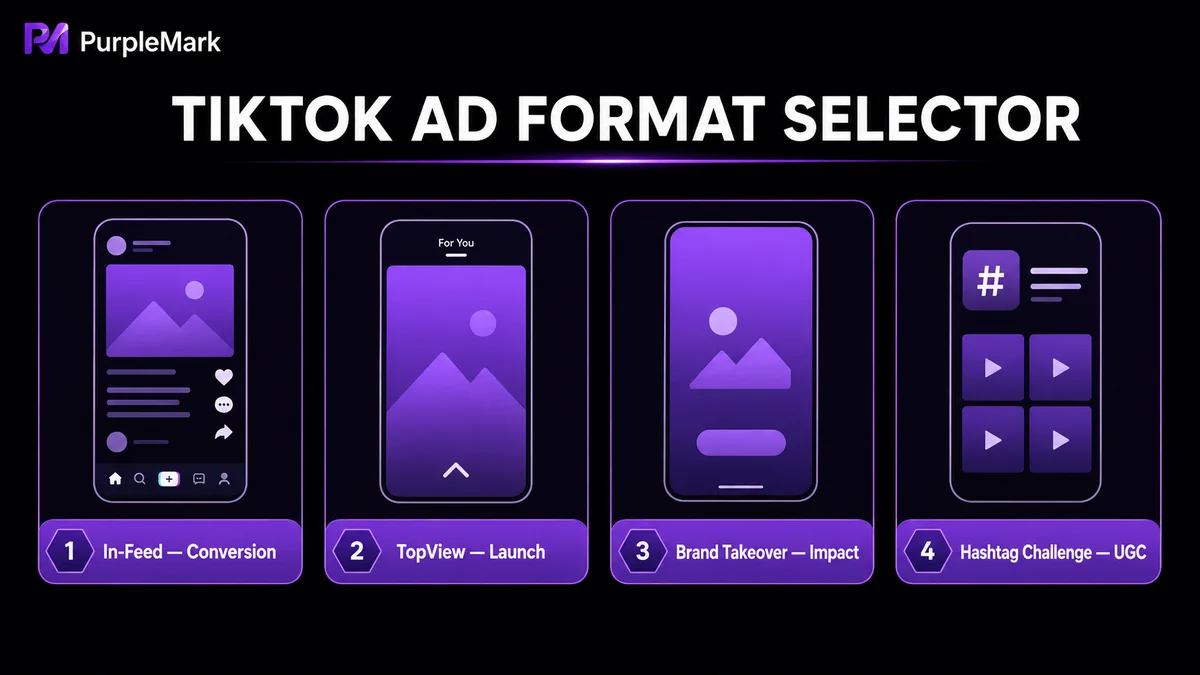
2. How to choose among four mainstream ad formats
- In-Feed Ads: Appear in the For You feed while users scroll. They are usually 15–60 seconds long, support likes and comments, and can include a CTA button. They are suitable for everyday traffic acquisition and conversion and are the first choice for most sellers. Creatives are recommended to stay around 9–15 seconds.
- TopView Ads: Full-screen ads with sound shown when users open the App, with a maximum length of 60 seconds. Their strong visual impact makes them suitable for product launches, brand stories, and campaigns that need to be remembered at first glance.
- Brand Takeover: Occupies the first screen users see when they open the App, with one brand featured per day. It provides very large-scale exposure and is suitable for major promotional periods and brand-building campaigns.
- Branded Hashtag Challenge: Uses hashtag challenges to encourage users to create UGC, making it suitable for engagement and brand buzz.
Beginners with limited budgets are generally better off starting with In-Feed Ads and using smaller budgets to test creatives; consider the other three formats when large-scale exposure is the priority.
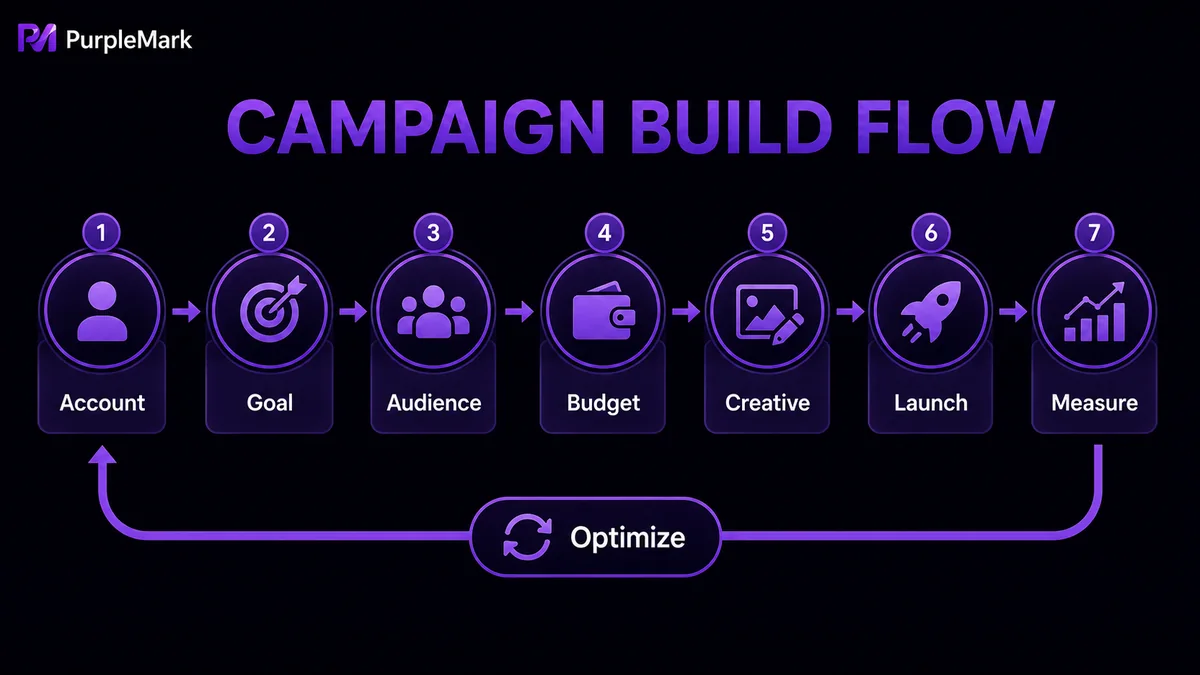
3. Basic process for building a campaign
- Enter the advertising management platform: Sign in to ads.tiktok.com with your business account and open the dashboard;
- Choose an advertising objective: Objectives mainly fall into three categories—raising brand awareness (for new brands or expanding reach), driving website traffic (encouraging clicks and visits), and increasing conversions (such as purchases). The objective affects subsequent bidding and bid strategies;
- Define the target audience: Narrow the audience by age and gender, location, interests and behaviors, device type, and other dimensions, or start with the system’s intelligent recommendations to broaden exploration;
- Set budget and schedule: Set a daily or total campaign budget and start/end times. Specific minimum-budget thresholds can change with policy, so follow what is shown in TikTok Ads Manager. It is better to start with a small testing budget and scale after sufficient data is collected;
- Create the ad content: Vertical short videos or image creatives should closely match the campaign objective, grab attention in the first 1–2 seconds, and use concise copy with a clear call to action. You can use TikTok’s built-in music, filters, and effects or reuse organic videos that have already performed well;
- Launch and keep optimizing: Let the ad accumulate enough data before judging performance and avoid frequent major changes. Monitor click-through rate, cost per conversion, and other metrics, and shift more budget toward the best-performing creatives and audiences.
4. Measuring performance and avoiding common mistakes
Ad performance should not be judged by impressions alone. For In-Feed Ads, focus on click-through rate, landing-page conversion, and cost per conversion; for brand campaigns, consider exposure, completion rate, engagement, and lift in search interest together. TikTok Ads Manager provides a complete data dashboard and can also work with conversion tracking such as TikTok Pixel to record the path from viewing an ad to making a purchase.
Beginners commonly make three mistakes: copying creatives directly from other platforms without adapting to TikTok’s vertical, native style; spreading the budget across too many ad groups so data cannot accumulate; and making frequent adjustments immediately after launch, interrupting the model before it finishes learning. A more stable approach is to start with a small budget, test multiple creatives, collect data, and then scale.
5. A note for media-buying and agency teams
If you work at an agency or media-buying team, you may need to manage TikTok advertising accounts for multiple advertisers at the same time. Login information, review progress, and campaign data for different clients must be kept strictly separate to avoid account mix-ups or operational mistakes. In this situation, establishing an independent, isolated work environment for each client becomes essential. PurpleMark can create separate browser environments for different clients within one workspace, bind proxies separately, sign in to each client’s advertising backend, and then share the corresponding environment with the members responsible for that client. Member permissions and operation logs help keep responsibility clear. Separating environment management from account authorization makes parallel multi-client campaign work easier to manage.
Frequently asked questions
What is the minimum budget for TikTok ads? Minimum budget thresholds for campaigns and ad groups can change by region and policy. Follow the actual prompts shown in TikTok Ads Manager.
Can individuals run TikTok ads? You can submit an account-opening application, but review may take longer and available advertising features may be limited. Business entities with a valid business license, including those opening accounts through agencies, generally have access to a more complete experience.
How long does ad review take? Account-opening review usually takes 1–2 business days. Review of individual ads is generally faster, although it may take longer during peak periods. Creatives involving sensitive industries such as healthcare or finance are reviewed more strictly, so prepare qualification documents in advance.


