
For TikTok batch account warm-up, the environment comes first: keep device characteristics tied one-to-one to each account, keep the network exit in the account’s target region over time, and never let cookies or login sessions move between accounts. If these three basics are unstable, frequent verification and abnormal recommendation traffic usually appear first.
Running more than a dozen accounts at the same time, the part most likely to fail is not the content but the environment. To the platform, an account’s identity is shaped by the device, network, and usage traces shown at every login. If those signals cannot stay fixed for each account, better content later cannot make up for it.
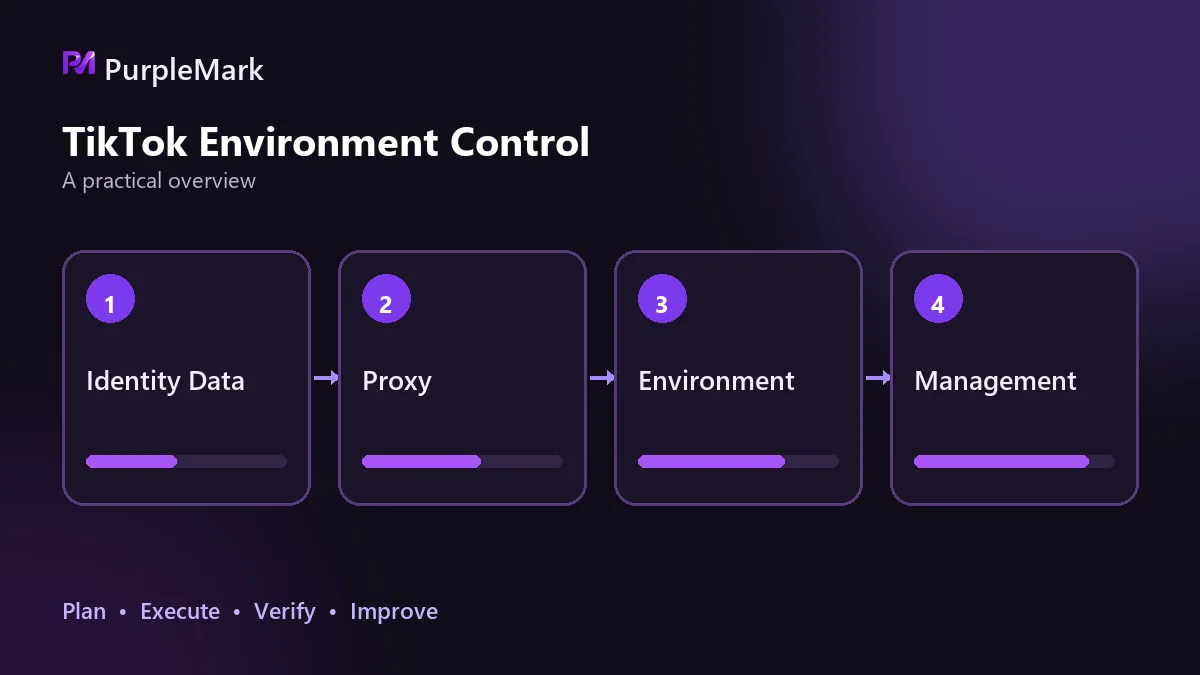
An Account’s Identity Is Defined by Its Environment
A TikTok account has a continuous usage history. The platform’s assessment comes from several signals that reinforce one another: whether device characteristics stay consistent, whether the network exit is stable and located in the account’s target region, who the cookies and login session belong to, and whether the profile and content direction make sense together.
If any of these signals changes inconsistently, the account profile becomes unclear. Imagine an account logging in from the United States this week, switching to the United Kingdom next week, with several different device characteristics in between. The system does not see one person changing environments; it sees an identity with an unclear source.
Batch warm-up is harder than managing a single account because the more accounts one operator controls, the greater the chance of reusing environments or overlapping network exits.
Three Things Must Stay Fixed Per Account
Device and environment consistency comes first. Each account should have its own browser environment, with cookies, local storage, and cache fully isolated. Putting two accounts in one environment, or switching logins back and forth between accounts, makes two identities share the same traces.
The network exit should be bound to the account. Whichever market the account targets, the exit should be in that region and should remain stable for as long as possible. Multiple accounts sharing one exit is a problem, and frequent exit changes are also a problem; both are direct association signals.
Cookies and login sessions must not cross accounts. This is easy to overlook: some people copy a logged-in profile to save time, or export cookies and import them into another environment. Once a login session moves across accounts, the server sees the two accounts as coming from the same session source.
What You See When the Environment Is Not Set Up Properly
Symptoms usually show up first during verification. If the same account is repeatedly asked for security checks, CAPTCHAs, or SMS confirmation at login, its environment characteristics are often giving the system reasons for caution.
Next comes abnormal recommendation traffic. If the content and posting rhythm have not changed but views remain very low for a long time—for example, consistently below 1,000 with no warning—it is time to check the environment before changing the content direction.
The most serious case is batch association. Once multiple accounts are identified as belonging to the same operator, they may be downranked at the same time or handled together, wasting all the time invested in warming them up. The logic is similar to account association on e-commerce platforms.
After the Environment Is Stable, Set the Warm-Up Rhythm
The environment is the foundation. If the foundation is uneven, everything built on top of it is wasted. Once it is stable, the operating rhythm is relatively simple.
For a new account, start mainly with browsing. Spend about half an hour on For You without liking or commenting first, so the system can learn the account’s interests. Then choose a vertical content direction and follow several larger accounts in the same category to help establish the right signals. From the third day, you can begin with a small number of likes and short comments. If you can link other social accounts, that can also help credibility.
When most of the recommendation feed is already in your niche, publish the first video. One to two posts per day is usually active enough; choose local lunch, commute, and pre-bedtime periods for publishing. After that, adjust based on performance data. Results generally start to become visible within a few weeks.
What Teams Need to Control in Batch Operations
As the number of accounts grows, the mapping between people and accounts must be clear. Each team member should manage a fixed set of accounts instead of two people alternating on one account. Keep a checklist that maps environments to accounts so ownership is obvious, and record key actions so problems can be traced later.
PurpleMark’s multi-account environment features can centralize many environments and assign them by team member, while saving each environment’s login state and fingerprint parameters independently. It solves environment management; it does not perform warm-up actions for you—and batch actions are exactly where risk is most concentrated.
Common Questions
Warming up ten accounts does not require ten devices. With separate environments and separate network exits, one device can keep the accounts from interfering with one another.
You can publish content during warm-up, but it is better to establish a period of natural browsing and usage first, then set the rhythm according to each account’s actual state.
New accounts from the same batch liking and commenting on one another is one of the clearest association behaviors and should be avoided.
Conclusion
Batch warm-up is never about the volume of actions; it is about isolation: one account, one environment, one network exit, and one coherent profile. Get those four elements right so accounts do not affect one another. Only then does it make sense to optimize content and posting rhythm.


