
Break a full account-registration flow into steps: form filling, date selection, and email-code retrieval can be automated, but video selfie verification stops the process. Understanding the cost of each layer is more realistic than chasing full automation.
People who build browser automation often start with an optimistic assumption: if a workflow is broken into small enough steps, there is nothing that cannot be automated.
Run an entire flow end to end, however, and a different picture appears. The early stages can be surprisingly smooth, only for the process to hit a wall at the end. One account-registration test was typical: form entry, date selection, verification-code retrieval, and security checks all worked in under a minute, reaching roughly 85% automation. The remaining step required a video selfie in front of a camera.
Viewed by cost, the boundaries of this workflow are clearer than they first seem.
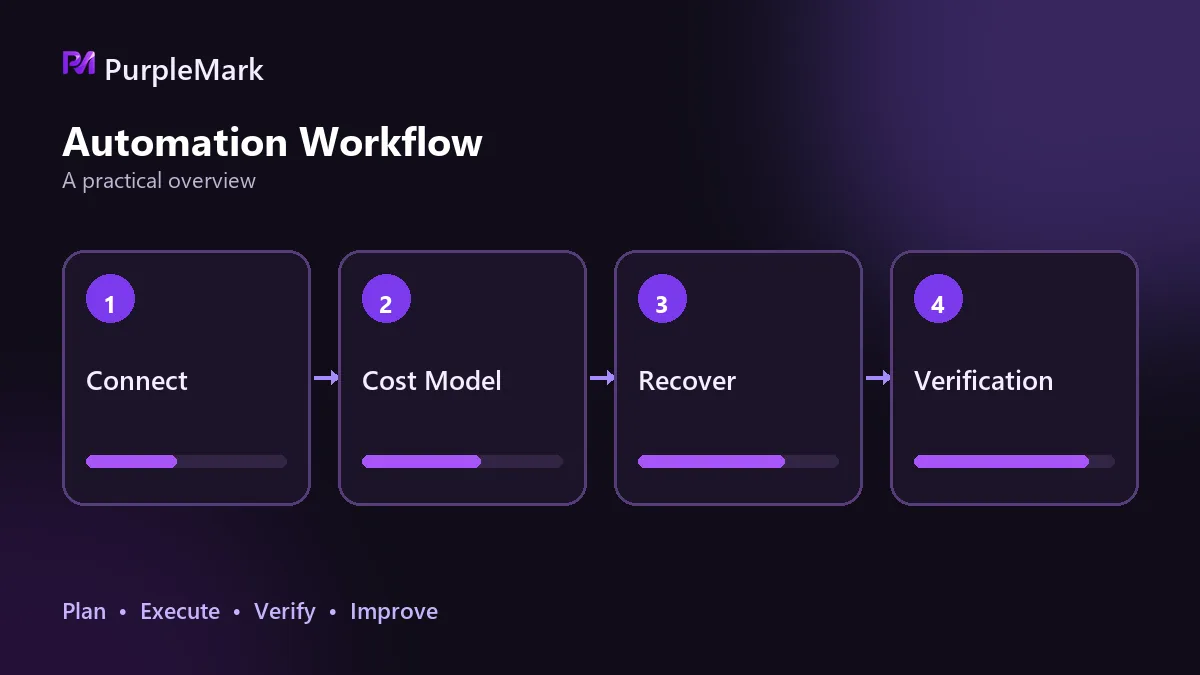
Deterministic actions on a single page are usually reliable with scripts
Inputs such as name, email, password, and date of birth are the most stable layer. Simulated keyboard input with a small pause between fields takes about five seconds for the whole step.
The main trap is element targeting. Many modern front ends render inputs without semantic name attributes, so they have to be located by index or structure. It is not elegant, but in an automation flow it can actually be more dependable.
This is the first class of task: fixed page structure, explicit actions, and predictable results. Operations in this range tend to have a high script success rate.
Custom components make page structure part of the cost
Drop-down choices such as date of birth and gender are where time starts to disappear.
What looks like a normal selection menu may actually be a custom component with accessibility roles underneath. Standard approaches can fail one after another: the normal select method does not work, locating by accessibility label does not work, and clicking the target element directly does not work. The reliable path is to reproduce the human interaction sequence: open the menu, wait for the options to render, find the target item by text, and then click it.
The code may take seconds to write, while debugging can take hours. The boundary here is not simply developer skill; it depends on how cooperative the page structure is. With custom components, abandoning the conventional method early can save the most time.
Keeping state across sites is where costs rise noticeably
When a verification code is sent by email, the core logic is simple: open the inbox, find the latest message, extract the numeric code, and enter it. The whole step takes around 20 seconds.
The obvious failure mode still matters: if the script reads an older email, the code is wrong, so the newest message must be selected by time.
After that succeeds, many platforms redirect to an extra check page and send another code. The handling logic can be reused, but the previous code value cannot.
The real complexity is that two sites and two sessions are involved. The email login state has to persist, the platform session has to survive across steps, and the proxy IP, time zone, and language need to match the environment. Cross-site state costs accumulate this way. Each individual step is simple, but the failure rate rises when they are chained together.
At this point the script is only the executor; it cannot decide what identity the website sees. Device fingerprinting and whether the IP matches the environment are part of what the platform evaluates. This is why teams running multiple accounts often separate environment isolation into its own layer: each environment gets an independent fingerprint and IP. Tools such as PurpleMark provide that environment layer, while the script performs actions inside it.
Tasks that require understanding the page are hard to sustain with pure scripts
Further into the workflow, the nature of the problem changes.
When page copy or structure varies by account, region, or staged experiment, hard-coded selectors fail in batches. There are two main options: keep adding every possible branch to the code, making maintenance harder over time, or hand the step to a model that can reason about page semantics. A short prompt or the meaning of a button is obvious context to a person, but it is noise to a selector.
When the platform actively adapts, pure scripts keep breaking again
Another cost is easy to miss: the other side changes too.
Platforms are not merely checking whether you can fill in a form. They may look at whether a device fingerprint appears normal, whether the IP matches the device environment, whether behavior resembles a real person, and whether there are signs of bulk operation. One risk-control update can make yesterday's selectors or behavior patterns require rework.
That means a pure scripting solution never really reaches a final finished state. It is not a one-time delivery; it requires continuous maintenance.
Face verification is not just a technical problem
The last gate in this flow requires a real person to complete a camera-based verification, and that is where the automation stops.
A script can fill forms, click buttons, read email, and enter codes, but it cannot legitimately perform an action that requires a person's biometric traits. The reason is not simply a lack of technical sophistication: the purpose of the check is to confirm that a real person is in front of the screen, which directly conflicts with automation. Solutions claiming to automate face verification commonly involve forged biometric information, creating compliance and even legal risks far greater than the benefit.
Even if a step is technically possible, the platform's terms of service still matter. Many platforms explicitly restrict automated registration behavior. That is a policy constraint, not a question of technical capability.
The conclusion is to choose tools by layer, not chase full automation
Once the workflow is separated into layers, the tool choice becomes much clearer:
- Use scripts for fixed pages and deterministic actions; they are the lowest-cost and most stable option.
- For login and session state that must persist across sites, manage the browser environment as a separate layer instead of mixing environment issues into script debugging.
- When the page structure is variable and the next action depends on semantic understanding, a model can be more practical than piling branches into code.
- When a step requires a real person or is explicitly prohibited by the platform's terms, do not force end-to-end automation.
Walk through the entire flow manually first to identify any hard stop, then decide how much development is worth investing. Automation pays off most on repetitive, deterministic operations that do not require judgment.


