
A banned Google Play developer account can mean app removal and the loss of development and marketing investment. This article reviews common causes such as reused registration details, linked login environments, duplicate code, and quality issues, then explains practical safeguards at both the account and code levels.
If you want to publish an app successfully on Google Play and operate it for the long term, developer account security is the foundation. Once an account is banned, the app may be removed and the money already spent on development and promotion can effectively be lost. This guide explains why Google Play developer accounts get banned, helps you identify risks at both the account and code levels, and offers practical ways to reduce them.
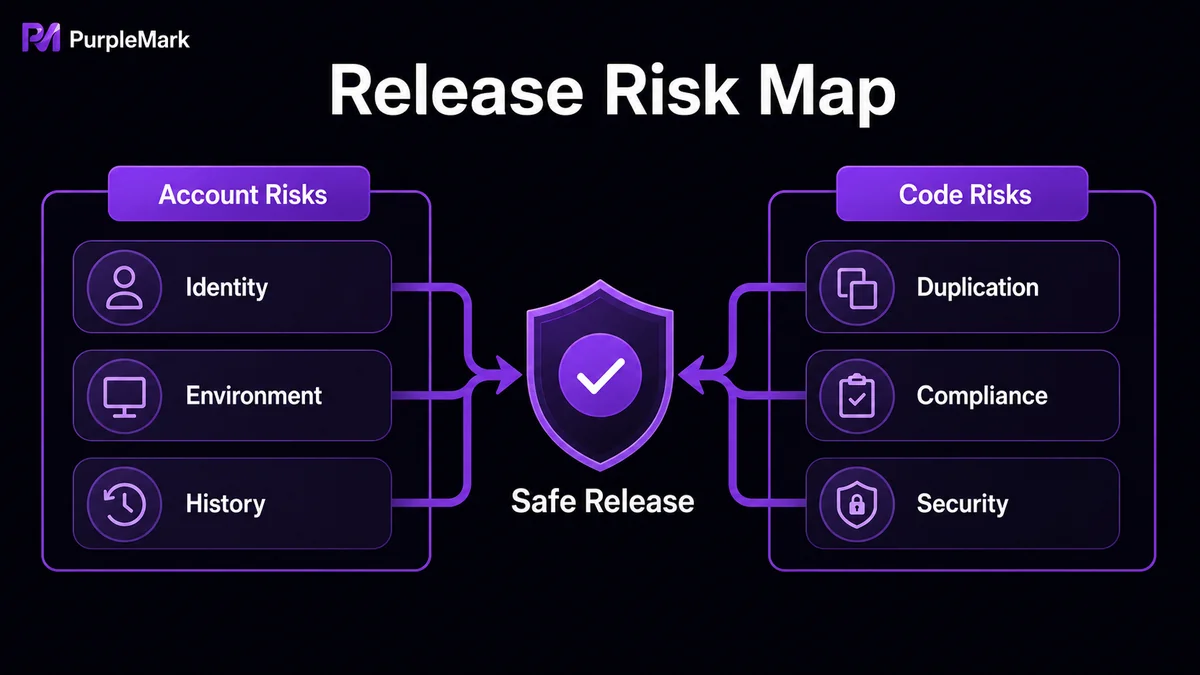
Google Play developer accounts are usually banned for these three types of reasons
I. Account-level risks
1. Linked login environments
Google expects each developer account to represent an independent, genuine developer entity. If different developer accounts are repeatedly signed in on the same computer or from the same network environment to submit apps for review, or if several accounts share an office Wi-Fi network, they can easily be identified as linked accounts. For example, if a small team takes turns signing in to individual accounts on one computer to submit apps, a problem with one account may also affect the others that are associated with it.
Using virtual machines or proxies to separate accounts can still create risk if they are configured poorly. Unstable connections and frequent disconnects and reconnects can make login IP addresses change abruptly, while virtual machines with little differentiation in system versions or hardware information may also be recognized as belonging to the same group of accounts.
2. Reused or falsified registration information
Registration details such as email addresses, phone numbers, and payment cards should be unique. If one set of information is used for multiple accounts, a violation on one account can affect all of them. Fabricated information is even riskier: a fake phone number may not receive verification codes, and a payment card with false details can be exposed during settlement. Once verified as fraudulent, the account may be permanently banned and the developer may also face credit or legal consequences.
3. A history of violations that damages account reputation
Even a minor content violation, such as using an image without authorization, can remain on record after the issue is corrected and the app is relisted. Later, even something as simple as a misleading description may cause enforcement to escalate from a warning directly to an account ban.
II. Code-level risks
1. Duplicate code
Google Play has strong code-detection capabilities. If code from an app that was previously removed or banned is republished with only superficial changes, such as renamed variables or another layer of obfuscation, while the core logic remains unchanged, it can still be identified as duplicate code. Once detected, associated accounts may be banned and new apps may also be blocked from release.
2. Code quality issues
- Privacy and compliance: Accessing sensitive user permissions without clear disclosure or bypassing official payment channels for private transactions can trigger risk controls directly.
- Security vulnerabilities: Problems such as buffer overflows or poorly managed permissions can lead to account suspension if exploited or reported by users, and developers may also face legal liability.
How to reduce the risk of a ban: protect both the account and the code
Account protection: keep the environment clean and the information unique
-
Use unique and genuine registration details: Each set of details should correspond to only one account. Email addresses, phone numbers, and payment cards should be genuine and verifiable; avoid bulk free email accounts and false information.
-
Separate account login environments: If you genuinely need to maintain multiple developer accounts or manage accounts on behalf of multiple clients, create an independent browser environment for each account. Each environment should use its own device parameters, language and time-zone settings, and network egress, while cookies and cache remain separate. With a multi-account browser environment management tool such as PurpleMark, for example, you can create a dedicated environment for each Google Play account, bind the appropriate proxy, and carry out registration, login, and review submission in isolated workspaces. This can reduce the risk of false linkage caused by shared devices or networks. In team settings, member-based permissions and operation logs can also make responsibilities clearer.
-
Operate compliantly instead of looking for loopholes: Google Play has strict compliance requirements for developer accounts. Environment isolation should help you compliantly manage multiple genuine and legitimate account entities; it should not be used to mass-register fake accounts, manipulate rankings, or evade platform penalties. Always start with a genuine developer identity and compliant app content.
Code protection: reduce rejection and ban risks at the source
-
Follow sound coding standards: Clear code structure, consistent naming, and complete comments make self-review easier and help with platform review, reducing the risk of false positives. Keep following Google Play policy updates and adjust your publishing approach promptly.
-
Refactor risky code properly: Do not merely patch old code on the surface. Carry out genuine refactoring by extracting reusable legitimate parts, redesigning the architecture, and implementing the app in a genuinely new way to reduce linkage risk from duplicate code. Breaking a large app into more cohesive modules can also improve maintainability.
-
Strengthen code security: Perform regular security reviews and vulnerability scans. Use tools such as static analysis and dynamic testing to find issues including memory leaks, SQL injection, and XSS. Security and compliance are not one-time checks before release; they are ongoing processes.
Final thoughts
Google Play is an important distribution channel for apps targeting international markets, and it offers both opportunity and risk. Account bans are usually not simply a matter of bad luck; they often result from problems hidden in the account environment, the uniqueness of registration details, or code quality. Keep your developer information and login environment clean first, then maintain a strong code-compliance baseline to make publishing and long-term operations more stable. When you need to manage multiple genuine developer accounts in isolation, PurpleMark can help create independent, collaborative browser environments so that each account has its own clean digital workspace.


