
Want to know which country or city an IP address comes from, or check whether your own exit IP reveals an unexpected location? IP lookup tools can help. This article explains what IP lookup can do, reviews several commonly used tools, and discusses why results may differ between services.
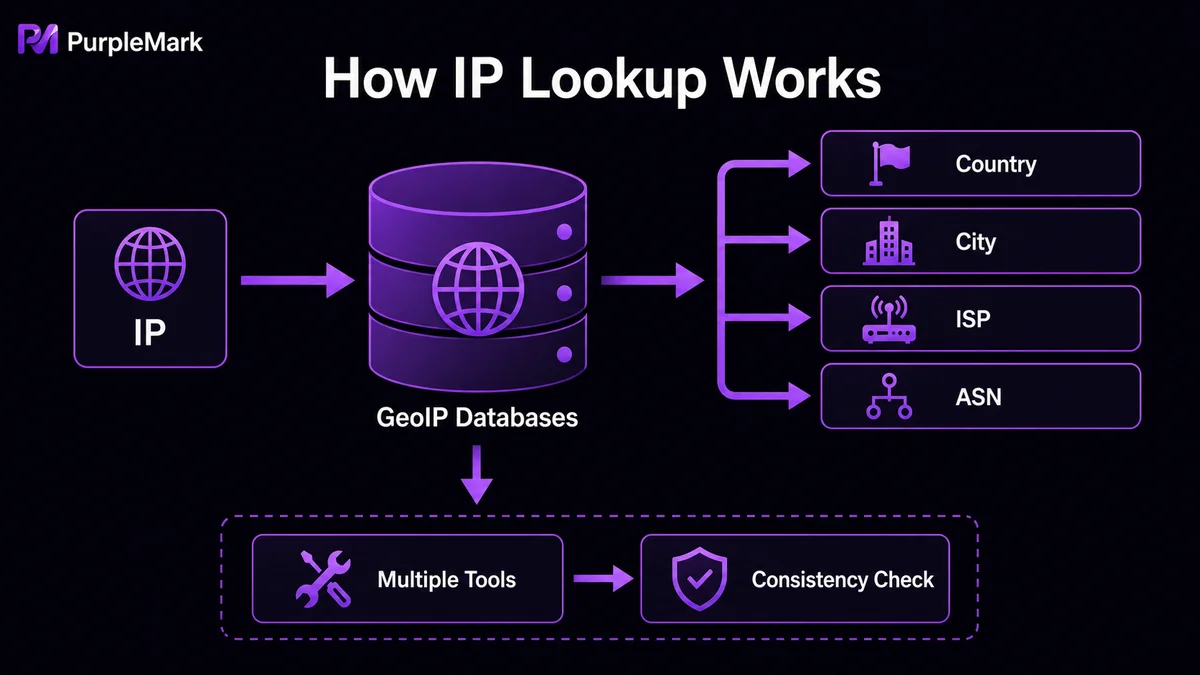
IP addresses are allocated a bit like phone numbers—different countries and regions have their own ranges. To give these addresses “geographic meaning,” organizations maintain large IP geolocation databases (also called IP mapping databases) that record relationships between IP addresses around the world and their associated locations. With a dedicated IP lookup tool, you can quickly see roughly where an IP address comes from.
What can an IP lookup tool do?
- Show your current IP: Quickly view your device’s public IP address.
- Look up geographic location: Using a GeoIP database, the tool matches an IP with registration information and ISP network-node locations to estimate the country, state or province, city, time zone, and sometimes even latitude and longitude. It usually cannot pinpoint a street address, but it is useful for identifying traffic sources, analyzing user distribution, and applying regional content controls.
- Detect proxy usage: Determine whether the current IP appears to come from a proxy server so you can verify that your network exit environment matches expectations.
Several commonly used tools
- ip-entry.com: A simple lookup site aimed at everyday users. It automatically shows your public IP, country, city, ISP, and other basics as soon as you open it. It is fast, requires no login, and is handy for a quick check of “where my current IP belongs.”
- browserscan.net: A more comprehensive testing platform. In addition to IP geolocation, it shows ASN, latitude and longitude, language, network type, and more, while also integrating browser fingerprint and DNS/WebRTC leak tests. It is particularly useful for people who care about privacy checks.
- ipip.net: An IP intelligence platform built by a professional team in China. It provides deeper data such as country, province, city, ISP, ASN, organization, and BGP route ownership. Some features require registration, making it suitable for network operations and data analysis.
- whatismyip.com: A long-established international service that can display your public IP, geolocation, browser, operating system, DNS information, and proxy detection. Its interface is simple and it has broad compatibility.
- iplark.com: A multifunctional platform with frequently updated data, batch lookup support, and API access. Its modern interface and quick loading make it useful for people who need to verify IP origins often.
Different results? Don’t panic
Different websites may return different geographic results for the same IP because they rely on different IP databases and update them at different intervals. In general, results that agree across several tools are a reasonable reference.
A few things to keep in mind
- IP geolocation does not identify a person precisely: Ordinary users cannot determine someone’s real identity from an IP address alone unless there is lawful authorization, such as a judicial investigation. So do not expect to identify a person simply from an IP.
- Looking up an IP generally does not mean exposing private information: The lookup service can see the IP you use to access it, but that alone does not reveal your personal identity. Still, use reputable websites and avoid entering sensitive data on unknown pages.
- An IP is only one part of your network identity: If you manage multiple accounts or care about environment consistency, you should check not only the IP location but also browser fingerprints, cookies, and other signals that may reveal inconsistencies. When necessary, use tools that isolate browser environments so account settings such as time zone and language match the IP in use, reducing the chance that mismatched environment signals are treated as abnormal.
Summary
IP lookup tools are simple, but they can quickly show you where your network exits and whether anything looks inconsistent. Use them as a first step in network self-checks, then combine that with overall browser-environment consistency to make your network identity more coherent and reliable. If you work across regions or manage multiple accounts, checking more than once is always worthwhile.


