
When using an IPv6 proxy to access some platforms, pages may fail to open or show frequent CAPTCHA prompts because those platforms may not fully support IPv6. This article explains the differences between IPv4 and IPv6, how to identify and test them, and how to choose the right proxy IP.
Many people switch to an IPv6 proxy and then find that some platforms will not open, fail to load, or repeatedly show CAPTCHA prompts. This usually does not mean the network is broken. More often, the platform does not yet fully support IPv6, so the proxy IP type does not match what the website supports. This article helps you sort out the issue.
What is the difference between IPv4 and IPv6?
In simple terms:
- IPv4 (for example,
192.168.1.1) is the traditional IP format. It is the most widely used worldwide and offers the best compatibility with most websites. - IPv6 (for example,
2001:db8::ff00:42:8329) is the newer generation of IP. It provides a much larger address space, but many websites and platforms are not yet fully adapted to it.
IPv6 is clearly the long-term direction, but at this stage many platforms still rely mainly on IPv4 in their network architecture and protection systems. If you use an IPv6 proxy to access a website that only supports IPv4, you may be unable to reach it or may encounter frequent CAPTCHA prompts.
How can you tell whether a proxy IP is IPv4 or IPv6?
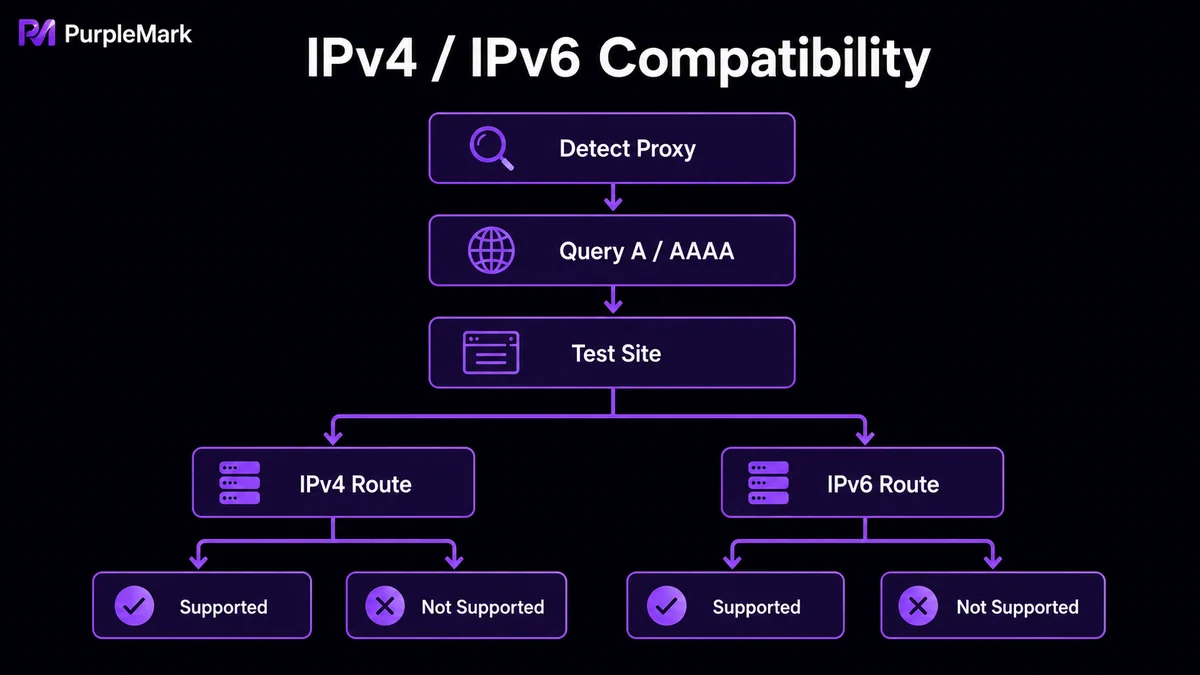
It is simple: open a detection site such as WhatIsMyIP or ipleak.net. It will automatically identify and display the type of your current outbound IP. Testing before buying a proxy can help you avoid many unnecessary problems.
How can you test whether a website supports IPv6?
Use DNS Checker (dnschecker.org): enter the domain you want to check, select the A record to see whether it supports IPv4, and select the AAAA record to see whether it supports IPv6. Some platforms, such as Facebook, support both IPv4 and IPv6, while others may support only IPv4 and not IPv6.
Keep in mind that even when a platform supports IPv6, full support may only be available in certain regions. The safest approach is to ask the proxy provider for a free trial before making a purchase, test whether the target website works properly, and then decide whether to buy. IPv6 support on different platforms can also change as technology evolves, so always rely on the latest test results.
If IPv6 does not work, how should you choose a proxy?
- Prioritize an IPv4 proxy: it offers the best compatibility and can help avoid access restrictions or errors caused by an IP type mismatch.
- Configure by platform: if you need to access multiple platforms, their IP requirements may differ. In that case, you can use a tool that supports multiple environments, such as a browser that can bind different proxies, and assign an appropriate IP to each platform instead of using one IP everywhere.
The value of this approach is smoother, more stable access that better matches platforms' expectations for normal network environments. Purchase compliant proxy services through legitimate channels.
Summary
IPv6 has advantages, but “your IP is newer” does not mean “the website recognizes it.” If you encounter failed access or frequent CAPTCHA prompts, first check whether the issue is an IP type mismatch. Then switch to a more compatible IPv4 proxy and configure different platforms separately. Once the compatibility issue is resolved, access should become much smoother.


