
Running a YouTube channel takes more than filming and editing. Topic research, keywords, thumbnails, channel presentation, and data analysis all affect reach. This guide organizes practical tools by five stages: topic research, SEO optimization, content writing, channel branding, and performance review, so you can focus your time where it matters most.
Whether a YouTube channel can grow depends on more than whether the content is entertaining. It also requires a complete operating process: choosing topics that match real demand, making titles and tags searchable, creating thumbnails that attract clicks, and understanding the data well enough to adjust after publishing.
Fortunately, there are mature tools for each of these tasks. Rather than listing software at random, this guide organizes the most useful options around five stages of the channel workflow.
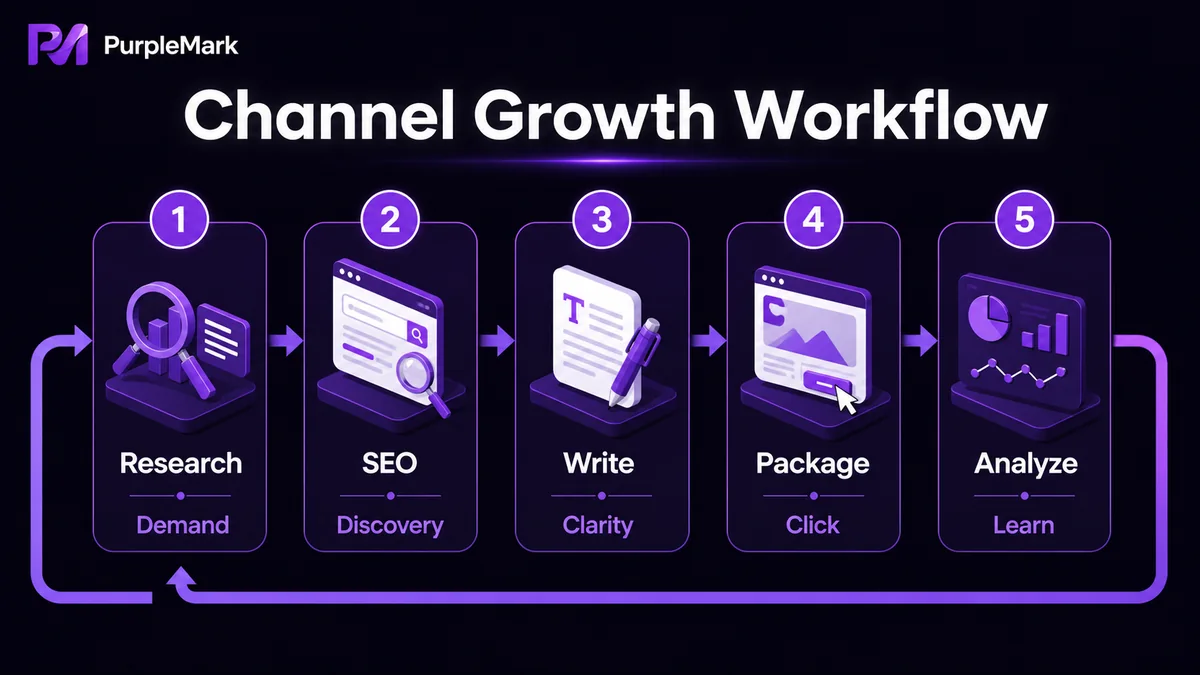
Stage 1: Topic research — understand what the market wants first
What you choose to make is often more important than how you make it. At the topic-selection stage, the key question is whether people are searching for the subject now and whether interest is rising or falling.
- Google Trends: Tracks how search interest for a keyword changes over a selected period. It helps you assess both current demand and longer-term direction. For YouTube topic research, it is especially useful for judging whether a topic is still worth entering.
- YouTube search suggestions: Type a keyword into the YouTube search box and review autocomplete and dropdown suggestions. These are often long-tail phrases that real users are searching for and can provide free topic ideas.
Stage 2: SEO optimization — make videos easier to discover in search
After a video is ready, whether your target audience can find it depends heavily on the keywords used in the title, description, and tags.
- TubeBuddy: A Chrome / Firefox extension that helps analyze popular keywords, narrow down keyword options, and review tag information from videos in the same niche so you can build a more sensible tag mix.
- VidIQ: Similar to TubeBuddy, with a strong focus on keyword and tag optimization. The free plan covers basic functions, while paid plans unlock additional data, so you can choose based on your needs.
- Ahrefs Keywords Explorer: Offers a very large keyword database and can show data such as search volume and clicks for terms on YouTube. It suits more advanced operators who want to use data to guide topic and title decisions.
Reminder: When learning from other creators' tags, follow sound operating logic instead of copying unrelated trending keywords. YouTube can identify and penalize clickbait titles and irrelevant tags.
Stage 3: Content writing — make your copy accurate and natural
Frequent grammar and spelling mistakes in video titles, descriptions, or subtitle text make the content look less polished and can also affect search performance.
- Grammarly: Automatically checks English grammar, spelling, and punctuation and can be used as a browser extension. It is especially helpful for creators who are not native English speakers, reducing basic mistakes and making content look more professional.
Stage 4: Channel branding — make the storefront look professional
Your profile image, banner, and video thumbnails form the first impression when viewers visit the channel. If you do not have a professional design background, you do not need to learn Photoshop from scratch.
- Canva: Lets you combine text, images, graphics, and templates to create polished channel art and thumbnails with a very low learning curve. A consistent visual style can make the channel look more trustworthy and professional.
Stage 5: Performance review — understand the data to keep improving
Publishing a video is not the end. Reviewing performance is the starting point for the next video.
- SocialBlade: Provides data for YouTube and other social platforms, including channel rankings, subscriber trends, and view trends. It is useful for comparing similar channels and understanding where your own channel stands.
- YouTube Analytics: Built-in metrics such as subscribers, watch time, traffic sources, and retention are the foundation for judging how content is performing and being recommended. Review them regularly and use them to adjust future topic choices.
If you need a more systematic view of platform metrics such as views, retention, and traffic sources, first learn the core indicators in YouTube Analytics, then use third-party tools for broader comparisons.
For multi-channel operators: account management matters too
The tools above focus on how to grow a single channel. But if you operate multiple YouTube channels for different product categories, languages, or brands, another bottleneck appears quickly: account management.
If several channels are frequently switched on the same computer and in the same browser, browser fingerprints, Cookies, and login states can overlap. YouTube/Google may use these signals when assessing whether channels are abnormally linked, which can lead to restrictions and, in more serious cases, broader account impact.
If you need to manage multiple channels, you can also look at the PurpleMark anti-detect browser. It can create separate browser fingerprints, Cookies, and local-storage environments for each channel account, while keeping accounts, proxies, and operating spaces organized separately. This makes it easier to log in to and operate multiple channels independently on one device; account grouping and team permissions can also make collaboration on a channel matrix clearer and more controllable.
Reminder: Follow YouTube / Google account policies and create content normally. Separating multi-account environments is intended to keep account data organized, not to evade platform rules or engage in artificial traffic and other prohibited activity.
Conclusion
For a YouTube channel, more tools are not necessarily better. What matters is having the right tool at each stage: trend references for topic research, keyword and tag tools for SEO, writing assistance for content, design tools for branding, and data for performance review. Once these parts of the workflow run smoothly, the channel can improve more steadily through each iteration.


