
Chromium is an open-source browser project and the shared base of browsers such as Chrome, Edge, Brave, and Opera, yet it is not itself a finished product for ordinary users. The article explains the relationship between the project and its distributions, and what the statement based on Chromium does and does not establish.
When installing a browser, few people realize that Edge, Brave, Opera, Vivaldi, and Chrome use the same underlying code. That code is called Chromium, and it determines how pages render, how scripts execute, and which interfaces extensions can call.
A project, not a product
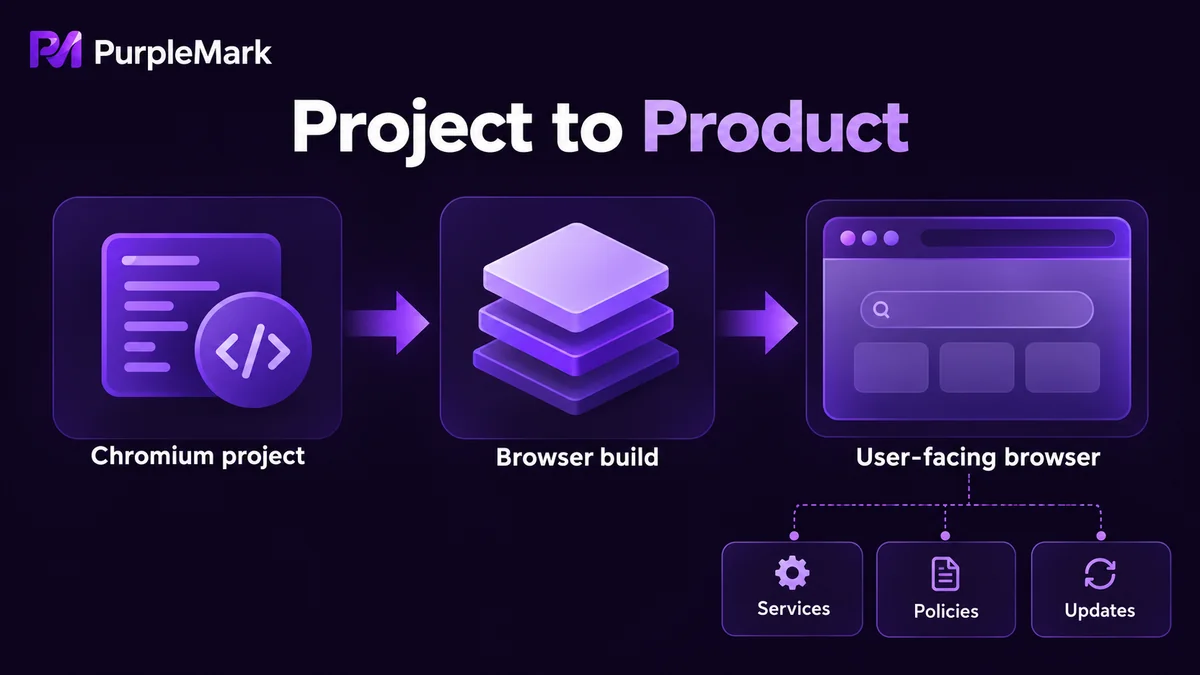
Chromium is an open-source project, released as open source in 2008 together with Chrome. It includes the rendering engine Blink, the JavaScript engine V8, and the complete browser interface code. Google leads its maintenance, but the code is public, and anyone can take it and build their own distribution.
The key difference is this: Chromium itself is not a finished product for ordinary users. What the project officially offers is a continuously built snapshot, with no auto-updater, no account system, and no branding or service support. That explains why many people who download Chromium find that updates are something they have to handle themselves.
Why everyone uses it
Maintaining a browser engine is prohibitively expensive. Keeping up with web standards, fixing security vulnerabilities, and adapting to various operating systems and new hardware all require a team with long-term commitment. Writing one from scratch is unrealistic, while forking Chromium and modifying it costs far less and directly inherits the extension ecosystem and debugging tools.
So the paths diverged. Chrome is Google's own product; Edge abandoned its in-house engine in 2020 and switched to Chromium; Opera took that step even earlier; Brave, Vivaldi, and Samsung Internet also build their differentiation on this base. WebView in Android and Electron apps on the desktop use Chromium as well. By contrast, Firefox uses Gecko and Safari uses WebKit, a different technical path.
How it differs from Chrome
Sharing an origin does not make them the same thing. Chrome adds an auto-updater, crash and usage statistics, and Google account sync on top of Chromium, and it has purchased licenses to include proprietary codecs such as H.264 and AAC plus Widevine DRM, so streaming sites play properly. Official Chromium builds usually lack these; a video page may open but fail to play, and there is no sign of login or sync.
Privacy defaults differ as well. Chromium does not send telemetry back, but it also does not provide Chrome's set of privacy toggles; downstream browsers each make their own trade-offs, with Brave blocking ads and tracking scripts by default and Edge swapping the account system for Microsoft's. None of these differences live in the engine.
Another often-overlooked difference is version progress. There is a time lag between downstream vendors and upstream, and some version numbers look closely in step while their patches are actually merged separately. When you hit a problem that appears in only one browser, confirm the version first, then suspect the engine.
Why compatibility and automation care about it
When front-end development encounters a page that works in Chrome but breaks in other browsers, the first step is to judge whether it is an engine issue or a vendor change. As long as everything is on Chromium, CSS and JavaScript behavior is largely predictable, and differences mostly come from version age and vendor patches.
Automation benefits too. A shared debugging protocol means a script written for Chromium often runs directly on a downstream browser; the DevTools interfaces and the way headless mode is invoked are consistent as well. The trouble is versions: downstream vendors follow upstream at different paces, some lag several versions behind, and the same script may run on an old version but error on a new one, or work in browser A but not browser B, so pinning a version matters more than chasing the newest.
Automation tasks that need to run in parallel over the long term usually lock a Chromium version and use it with an isolated runtime environment. Most tools for multi-account isolation also take Chromium as their base, because it is open source, its version can be pinned, and its extension and automation interfaces are complete. PurpleMark is one such tool, giving each account its own independent browser environment and separating profiles, network exits, and device fingerprints.
What the statement does and does not establish
Saying a browser is based on Chromium establishes that the rendering engine and script engine are the same, that web pages behave similarly, that extension interfaces and debugging protocols are broadly interchangeable, and that the risk to web compatibility is relatively low.
What it does not establish is a long list: privacy defaults, whether telemetry is collected, sync capability, update channels, whether extra blocking or acceleration features have been added, and how many versions behind upstream it is. Even less can it be used to judge whether the browser is safe, because what Chromium opens up is the code, not the default configuration.
Treating a browser as the same product just because it is based on Chromium is the most common misreading. What really determines daily experience is what each vendor adds on this base, what it removes, and how often it syncs with upstream.


