
On Whatnot, falling one beat behind in a live show kills the pace. Speed comes from the materials, templates and inventory mapping prepared before going live, not from fast hands. This article covers batch listing, barcode and inventory management, a pre-show checklist, and environment isolation and role permissions for multi-shop sellers.
A Whatnot live show runs in one continuous flow: the moment you finish one item you have to open the next. If you stop at that point to take photos, write a title and enter the weight, the rhythm breaks and the audience leaves with it. So-called fast listing is in fact mostly work that was already finished before the show started.
Shoot all materials first, assemble only on the spot
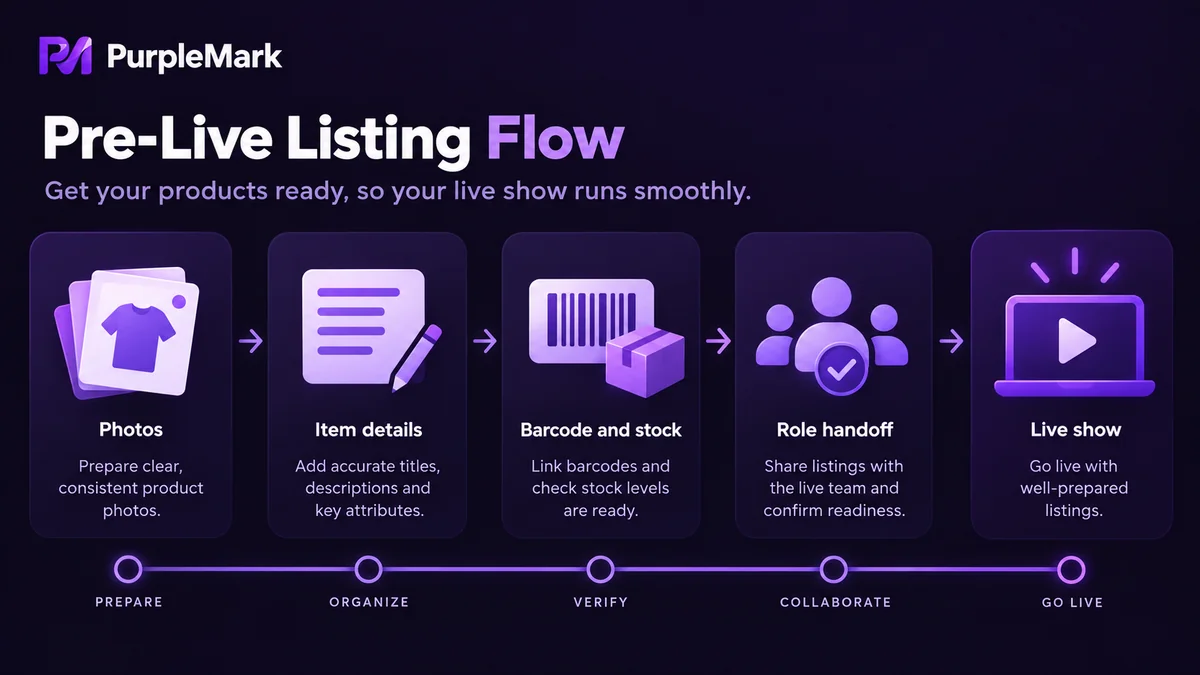
Slow listing comes from incomplete materials. Ideally you shoot all the images for each item in one session: front, back, detail shots, close-ups of flaws, and a clear photo of the item number or year. Flaw photos are not optional. Collectible buyers care about this most, and a retake afterwards costs far more than explaining on the spot.
Write titles in a structured way: brand, item name, year or number and condition joined as fields, with the same field order shared across a category. Condition descriptions, provenance notes and packaging status also become fixed sentence patterns, so at show time you only swap the variables. That way, even if dictated between segments, an assistant can immediately assemble a usable listing.
Weigh and measure items at intake rather than after the sale. Match shipping templates to packaging materials, and decide in advance how many items go in a box and which box type to use.
Batch import and inventory mapping
Typing items one by one is the least efficient approach. Organise the items into a spreadsheet first, use the platform's batch import to create listings all at once, then push the ones for that show during the live. Each row in the sheet has to answer four questions: what is this, what does it sell for, how many are there, and which warehouse does it ship from.
Barcode scanning suits physical inventory you already hold. Apply labels at intake, scan to map them one to one with listings, and scan again on the way out; duplicate listings and overselling are largely avoided. Inventory counts have to sync in real time, subtracting one for every sale, rather than relying on memory.
Define bundles in advance: three items as one lot, or three separate items promoted together. The two approaches calculate inventory and shipping completely differently, so the team has to work from one single definition.
Pre-show checklist
Ten minutes before going live, run through everything that can interrupt the stream: whether the network is stable, device battery and cooling, camera and lighting, microphone echo, whether login status is normal, whether payment and withdrawal details are complete, whether the right shipping template is selected, and the listing order and quantity for that show.
The listing order deserves separate thought. Whether you clear low-priced inventory first or put high-priced items up front to build traffic directly determines the rhythm and sales mix of that show. Assign assistant roles in advance as well: who handles price changes, who replies to messages, who restocks in the back end. Taking photos live, thinking up titles live and calculating shipping live are three things best avoided.
The rhythm of one live show
Set a roughly fixed presenting time per item with a unified countdown, rather than letting one item drag for five minutes and the next take twenty seconds. Prepare the next item's images in advance and switch over the moment the previous one is done.
Hand price changes, inventory changes and title changes to a back-end assistant so the host never switches screens. Communicate with short fixed words such as price drop, bundle, pull, and avoid explaining processes on stream. Do not decide mid-stream to fetch goods from the warehouse, and do not promise inventory you have not verified.
Three things multi-shop sellers have to handle
It is not unusual for a seller to run several shops at once: different categories kept separate, different markets targeted, or different team members each responsible for one part. Once scale arrives, the problem is no longer listing speed but how accounts avoid interfering with each other.
Environment isolation comes first. Several shops sharing one computer, one browser and one network egress look like a single environment to the platform, and trouble in any one shop can drag the others down. A workable approach is to give each shop its own browser environment and its own egress IP, with profiles, cookies and extensions all kept separate. PurpleMark is a tool that provides account-level isolated browser environments for exactly this kind of scenario, managing profiles, network egress and device characteristics separately.
Second is role permissions. Assistants need the ability to list, change prices and reply to messages, while operations such as withdrawals, account settings and binding information should stay with the shop owner alone. Using sub-accounts or role permissions instead of sharing the main password both reduces password leakage and prevents operations that leave no record. PurpleMark's sub-accounts and permission division let you assign environment access scope by role, so team members only see the shops they are responsible for.
Third is collaboration and scheduling. Live shows across time zones mean someone has to be online in the middle of the night, so handover checklists, the item list for that show and inventory discrepancies all have to be written down clearly. Managing shops, environments and permissions in one place means no more digging through chat logs for account passwords at handover.
One final point is a precondition: no matter how many shops you open, account information has to be genuine, the goods you sell have to be described truthfully, and inventory, condition and logistics promises all have to be honoured. Follow the platform rules as they are written. The number of accounts was never a reason to bypass limits, only a normal management need once the business has scaled up.


