
A missing WhatsApp verification code is commonly caused by abuse detection or device and network settings. Follow this practical troubleshooting order.
Account restriction or settings issue
WhatsApp may pause code delivery after mass messaging, frequent device or IP changes, reports, or an unstable reused number. Stop unusual activity rather than repeatedly changing numbers.
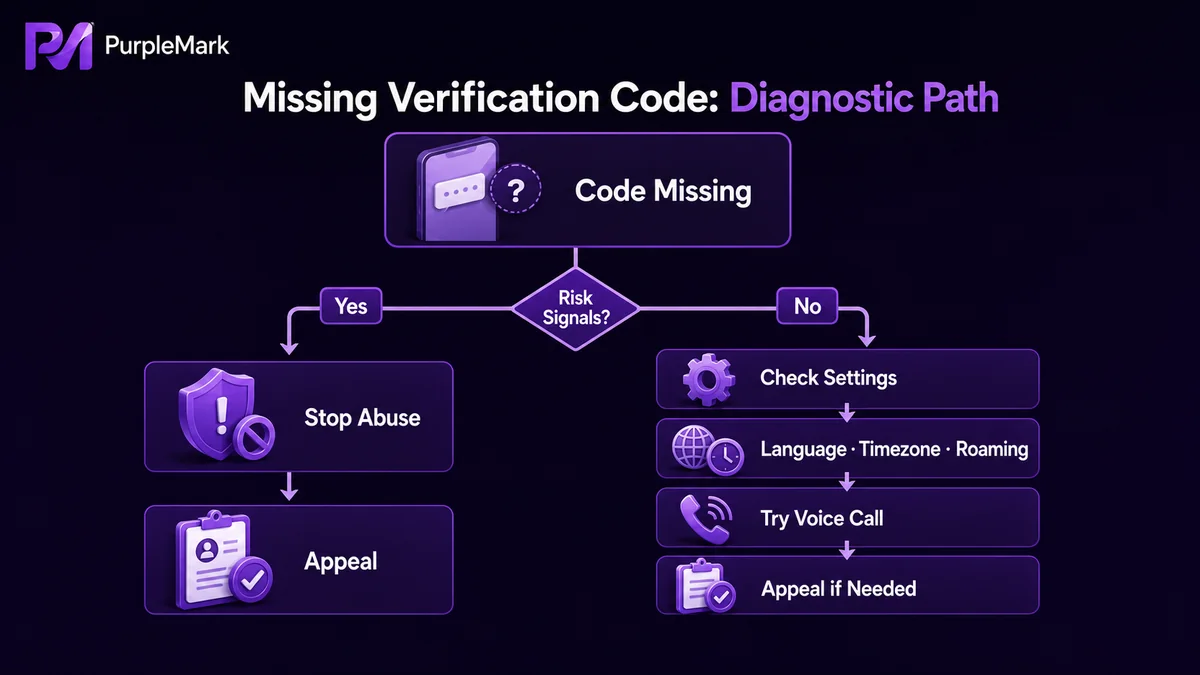
Troubleshoot in order
Disable location permission, temporarily switch the phone language to English, correct the time zone, verify roaming and network access, then try voice verification. If verification still fails, use WhatsApp's official appeal flow. Manage legitimate business accounts in separate, stable environments; PurpleMark provides isolated browser profiles for that purpose. Always follow WhatsApp's terms.


